Your LinkedIn profile should do more than list your previous jobs. It should communicate your expertise, demonstrate your value, and help recruiters understand why your background matches their hiring needs.
If your profile isn't attracting relevant opportunities, the problem may be your headline, About section, work experience, or the keywords you use to describe your skills.
In this guide, you'll learn how to improve these sections with practical examples and a simple optimization checklist.
If you want personalized feedback, explore ResumeAce LinkedIn Profile Review.
LinkedIn Profile Review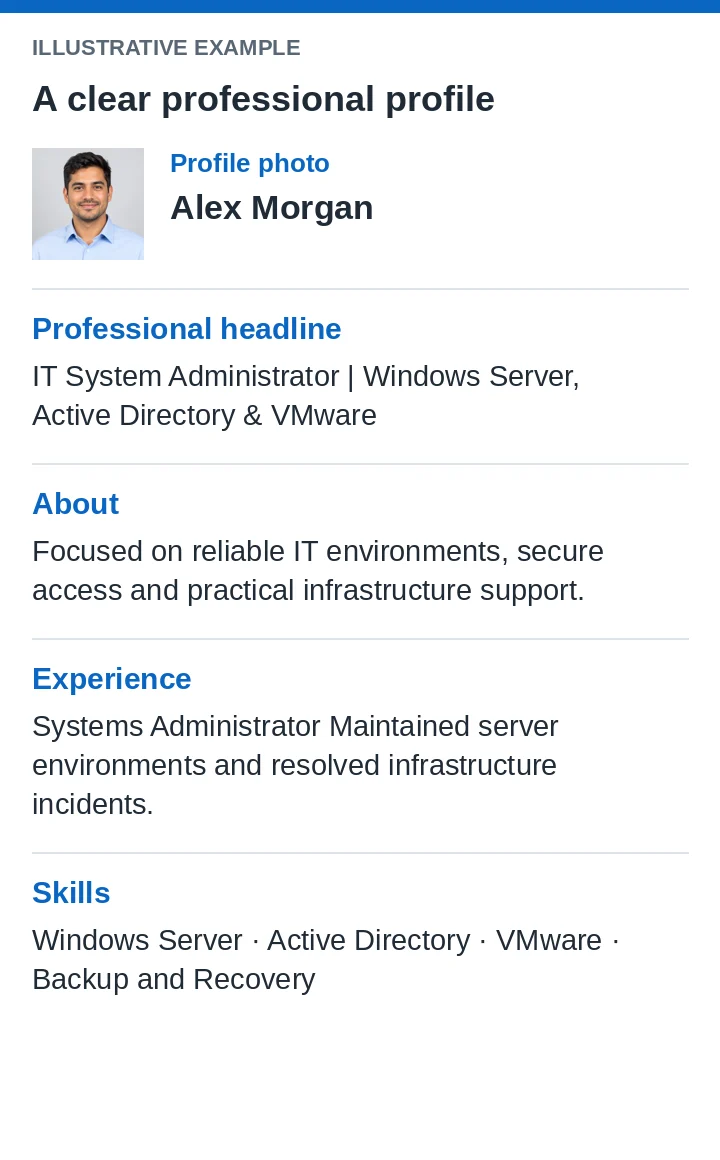
What Is LinkedIn Profile Optimization?
LinkedIn profile optimization means improving your profile so it communicates your qualifications clearly and aligns with the roles you want. It involves three key areas:
- Discoverability: Using relevant job titles, skills, and industry terminology.
- Credibility: Demonstrating your experience through specific responsibilities and achievements.
- Clarity: Making your professional background easy to understand.
Keywords can help communicate relevance, but they don't guarantee higher search rankings or recruiter messages. Your profile should accurately represent your experience rather than simply repeat popular search terms.
1. Write a Strong LinkedIn Headline
Your headline is one of the first things people see on your profile. Instead of using a generic title, explain your professional focus and relevant expertise. A useful formula is:
Target Job Title + Specialization + Relevant Skills
LinkedIn Headline Examples
Digital Marketing Specialist
Before
Marketing Specialist | Looking for Opportunities
After
Digital Marketing Specialist | SEO, Paid Campaigns & Performance Analytics
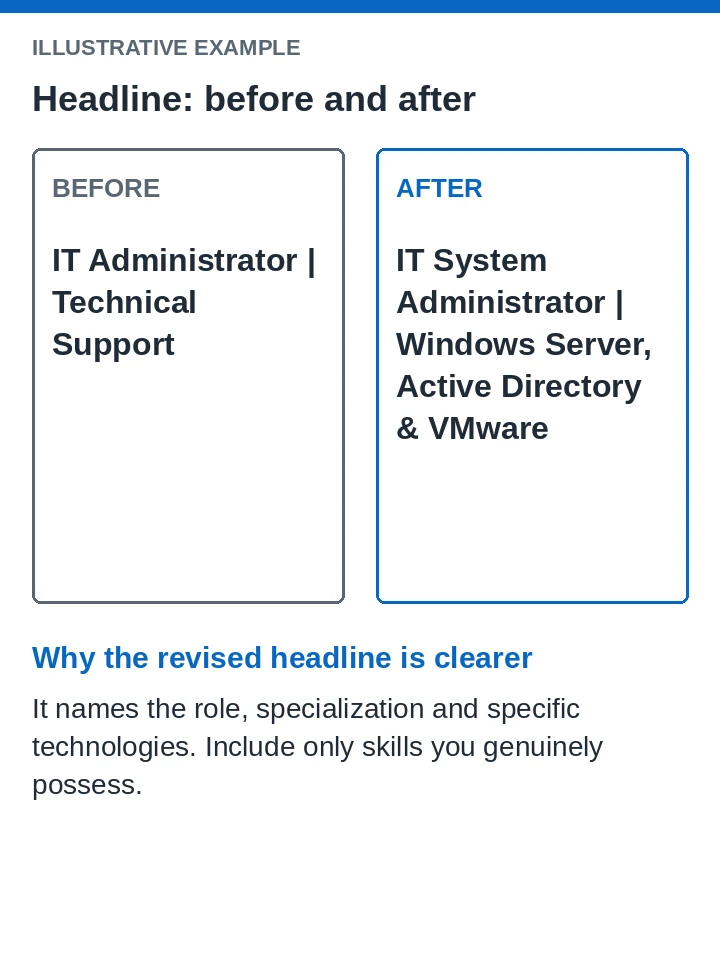
IT System Administrator
Before
IT Administrator | Technical Support
After
IT System Administrator | Windows Server, Active Directory & VMware
Data Analyst
Before
Data Analyst | Open to Work
After
Data Analyst | SQL, Power BI & Business Intelligence
Use only skills and specializations that reflect your actual experience. Before writing your headline, review job descriptions for your target role and identify recurring requirements. Incorporate the most relevant terms naturally.
2. Improve Your LinkedIn About Section
Want feedback tailored to your target role? Explore LinkedIn Profile Review, included with Career Pro.
Review your LinkedIn profileYour About section should explain who you are professionally, what you do well, and what you bring to an employer. Avoid generic statements such as:
I'm a hardworking professional seeking a challenging opportunity to develop my skills.
Instead, provide specific information about your expertise and career direction.
LinkedIn About Section Examples: An IT Professional
I'm an IT System Administrator focused on maintaining reliable and secure IT environments. My experience includes Windows Server administration, Active Directory, virtualization, backup management, and network troubleshooting.
I enjoy solving infrastructure problems, improving system reliability, and supporting secure business operations. I'm interested in opportunities where I can contribute to infrastructure improvement and efficient IT operations.
Personalize this example with your real experience, achievements, certifications, and career goals. A strong About section should include:
- Your professional identity and specialization.
- Your most relevant skills and technologies.
- Evidence of your achievements or experience.
- Your career direction or professional interests.
Keep it readable and authentic. Your LinkedIn summary for job seekers should complement your resume rather than duplicate it entirely.
For a concise introduction on your resume, use our related guide to writing a focused professional summary.
Read the resume summary guide3. Use Relevant LinkedIn Profile Keywords
LinkedIn Profile SEO starts with understanding the language employers use when describing your target role. For example, an IT System Administrator might use relevant terms such as Windows Server, Active Directory, Group Policy, VMware, Backup and Recovery, and Microsoft 365.
Include accurate keywords in the appropriate sections:
- Headline: Your target job title and specialization.
- About: Your expertise and professional focus.
- Experience: Technologies, responsibilities, projects, and achievements.
- Skills: Relevant capabilities that match your background.
Don't place every keyword in your headline or repeat the same phrase unnaturally. Instead, demonstrate your skills through relevant experience and concrete examples. The objective is to make your profile informative to both recruiters and human readers.
4. Turn Job Responsibilities Into Achievements
A common mistake is describing duties without explaining what the work accomplished.
Before
Responsible for managing servers and resolving IT issues.
After
Administered Windows Server environments, managed Active Directory access policies, and resolved infrastructure incidents to support reliable business operations.
Whenever possible, include verified results. For example, you might describe how you reduced incident resolution time, improved campaign engagement, or managed a specific number of systems.
Never invent metrics. If you don't have measurable results, describe the scope of your responsibilities, the tools you used, and the problems you solved.
5. Improve Your Skills and Professional Credibility
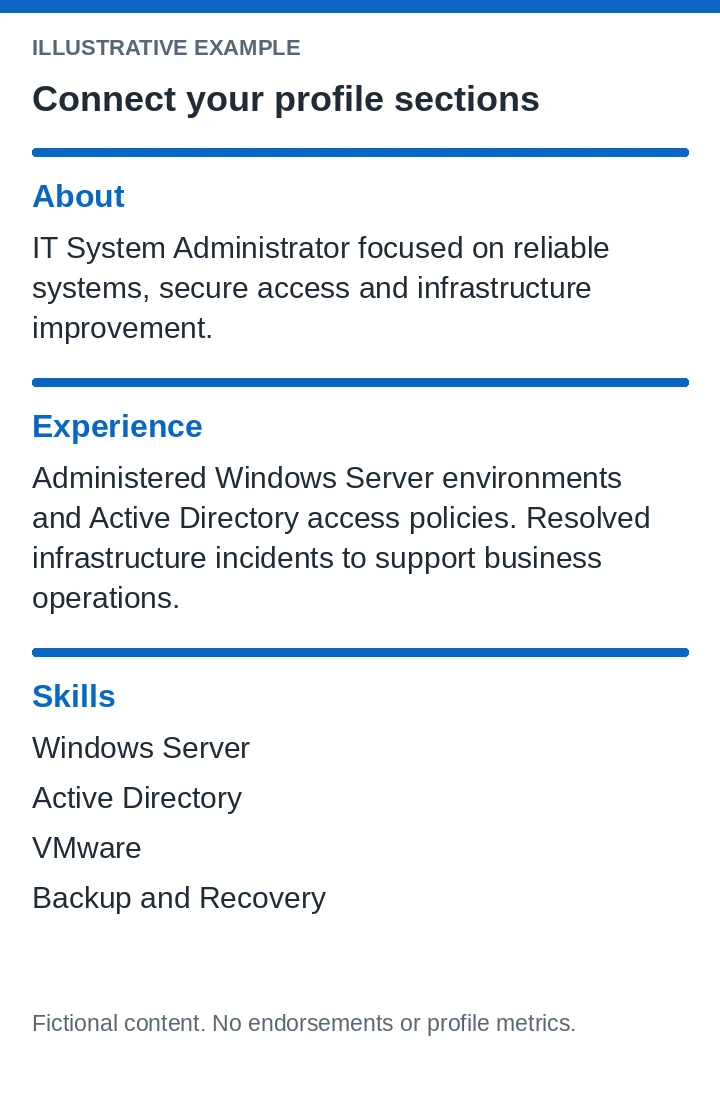
Your skills section should support the professional identity presented throughout your profile. Review job descriptions for your target role, identify relevant requirements, and compare them with your actual capabilities. Then:
- Add relevant skills you genuinely possess.
- Prioritize skills that support your target career direction.
- Keep your experience descriptions consistent with your listed skills.
- Update outdated information.
- Add relevant certifications and education.
- Showcase projects or professional work in the Featured section when appropriate.
- Request genuine recommendations from colleagues or managers who know your work.
Also review your profile photo, background image, and public profile visibility settings. These improvements help present a more complete professional identity, although they cannot guarantee recruiter attention or job opportunities.
Keep your job titles and achievements consistent across your profile and resume. Prefer creating your resume in Arabic?
Open the Arabic resume builder6. Get a LinkedIn Profile Review
Even when you understand optimization best practices, identifying weaknesses in your own profile can be difficult. Your headline may be too generic, your About section may lack focus, or your experience descriptions may not demonstrate your strongest qualifications. A structured LinkedIn profile review can help identify areas that need improvement.
Review these six elements:
- 1Headline: Is your professional focus clear?
- 2About section: Does it explain your expertise and value?
- 3Keywords: Are they relevant to your target positions?
- 4Experience: Do your descriptions demonstrate your abilities?
- 5Skills: Do they support your intended career direction?
- 6Consistency: Does your profile communicate a coherent professional story?
Improve Your Profile With ResumeAce
Instead of guessing which sections need attention, use ResumeAce LinkedIn Profile Review to explore feedback and suggested improvements. Use the service to help refine your professional presentation and identify opportunities to make your profile clearer and more relevant to your target roles.
Ready to improve your LinkedIn profile? Review is included with Career Pro; the service page explains the next step.
Get Your LinkedIn Profile Reviewed With ResumeAceLinkedIn Profile Optimization Checklist
Before considering your profile complete, check the following:
- My headline clearly communicates my professional focus.
- My About section explains my expertise and career direction.
- My keywords reflect my target role and actual skills.
- My experience descriptions include relevant achievements.
- My skills section supports my professional goals.
- My certifications and profile details are up to date.
- My profile presents a consistent professional identity.
- My public profile visibility settings match my preferences.
Start with the sections that most clearly communicate your qualifications: your headline, About section, and relevant experience.
Final Thoughts
An effective LinkedIn profile communicates more than your employment history. It explains your expertise, demonstrates your value, and helps recruiters understand your professional fit. Start by improving your headline, About section, keywords, and experience descriptions. Then review the complete profile for clarity and consistency.
If you need help identifying what to improve, take the next step toward presenting your professional experience more effectively.
Review your LinkedIn profile✅ Key Takeaways
- What Is LinkedIn Profile Optimization?
- 1. Write a Strong LinkedIn Headline
- 2. Improve Your LinkedIn About Section
- 3. Use Relevant LinkedIn Profile Keywords
- 4. Turn Job Responsibilities Into Achievements
Frequently asked questions
How do I optimize my LinkedIn profile for recruiters? +
Identify your target roles, review relevant job descriptions, and improve your headline, About section, experience, and skills. Use accurate keywords and demonstrate your expertise through specific examples.
What are the best LinkedIn profile keywords? +
The best keywords depend on your profession and target roles. Relevant job titles, technical skills, industry terms, and certifications can help communicate your qualifications when used naturally.
Does LinkedIn profile optimization guarantee more job opportunities? +
No. Optimization can improve the clarity and relevance of your profile, but recruiter activity and hiring outcomes depend on multiple factors, including experience, market demand, and available positions.
Can professional tools help optimize my LinkedIn profile? +
Professional tools can help identify generic wording, suggest stronger headlines, and improve summaries. Always verify suggestions to ensure they accurately represent your qualifications and achievements.
Is a LinkedIn profile review different from a resume review? +
Yes. A LinkedIn profile review focuses on your online professional presence, while a resume review evaluates the document you submit for job applications. Both can complement each other.